

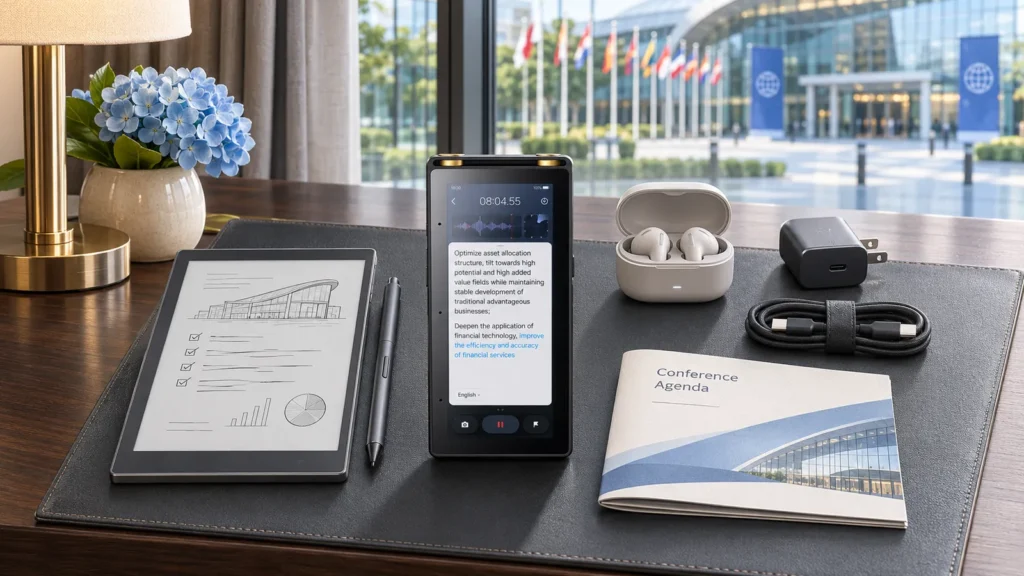
International conferences combine several difficult working conditions: unfamiliar venues, unstable networks, long presentation days, multilingual conversations, and limited access to power outlets. Hybrid meetings add another layer because people in the room and participants online need to hear and follow the same discussion.
A useful technology kit should cover five jobs: communication, note-taking, recording, connectivity, and power. It should also remain compact enough to carry between meeting rooms without becoming a second piece of luggage.
Start With the Meeting Schedule
The agenda determines what equipment is worth carrying.
A conference day built around presentations requires a different setup from a day of private client meetings. Check the schedule for:
- One-to-one conversations
- Multilingual meetings
- Panel discussions
- Workshops
- Hybrid sessions
- Site visits
- Networking events
Mark which sessions allow recording and which require advance permission. Some organizers restrict audio, photography, or connected devices. Confirming the rules beforehand prevents awkward discussions at the entrance.
Download the venue map, schedule, tickets, presentation files, and hotel information before traveling. Keep local copies rather than depending entirely on an event app or conference Wi-Fi.
Communication Tools
Translation needs can range from asking for directions to discussing technical requirements with an overseas partner. One tool may not suit every conversation.
For scheduled one-to-one meetings, hands-free translation earbuds allow both participants to maintain eye contact and handle documents while speaking. They are less useful when several new people need to share the same equipment.
A phone-based translation app can serve as a backup for short exchanges. Save important addresses, venue names, dietary requirements, and emergency information in the local language. These details should remain accessible even if the phone has no data connection.
Prepare a short glossary for the conference. Include company names, product terminology, job titles, abbreviations, and technical phrases likely to appear during meetings. Translation works more smoothly when unfamiliar terms have already been identified.
For important negotiations, legal discussions, or situations where a misunderstanding could create substantial risk, arrange qualified language support rather than relying only on a device.
Note-Taking Without Carrying a Full Office
Conference notes often end up scattered across paper programs, phone screenshots, business cards, and laptop files. One primary note-taking device reduces that fragmentation.
Create a folder for the event before departure. Inside it, prepare separate pages for the agenda, contacts, presentations, client meetings, and follow-up tasks.
A simple page structure works well:
Session: Speaker, topic, and time
Key points: Ideas worth keeping
Questions: Items to clarify
Follow-up: People to contact or tasks to complete
Do not attempt to transcribe every presentation by hand. Record the speaker’s main argument, useful examples, and anything connected to your own work. If presentation slides will be available later, use the notes to capture your response rather than copying text already shown on screen.
Business cards can be photographed or entered into the contact list at the end of each day. Add one line explaining where you met and what you discussed. A name without context is rarely useful several weeks later.
Audio Recording for Approved Sessions
Recording can help during interviews, workshops, and detailed meetings, but only when the organizer and participants allow it.
A small dedicated recorder avoids using the phone’s storage and battery during long sessions. Place it near the primary speaker, away from laptop fans, projectors, and air vents. In a large room, a recorder beside your seat may capture more audience noise than presentation audio.
Run a short test before the session. Listen through headphones and confirm that speech remains clear at the speaker’s actual distance.
Use written timestamps to mark important moments. A note such as “24:10 — regional launch schedule” is more useful than replaying an entire recording later.
Name each file before leaving the venue. Include the date, session, speaker, and recording position. Keep the original file unchanged and create a separate copy for transcription or editing.
A Reliable Hybrid Meeting Setup
Hybrid meetings fail when the room can hear the remote participants but the remote participants cannot hear the room.
Laptop microphones work well for one person sitting nearby. They are less effective when several people are spread around a table. Use a conference microphone or speakerphone positioned near the center of the discussion.
The camera should show the people who will speak, not an empty section of wall or a bright window. Place it close to eye level and check the frame from the remote participant’s view.
Use headphones when joining from a shared venue to prevent echo. If several people in the same room connect through their own laptops, only one device should handle the room’s microphone and speakers. The others should remain muted.
Assign someone to watch the online chat and signal when remote participants want to speak. Without that role, questions from the virtual side are easily missed during an active room discussion.
Share presentation files before the meeting. Screen sharing may become unreliable on venue Wi-Fi, while a local copy allows remote participants to follow the material independently.
Reading and Reviewing Documents
Conference travel often includes contracts, schedules, research papers, presentation decks, and annotated PDFs. Reading all of them on a phone is uncomfortable, while opening a laptop in every location is not practical.
An E Ink productivity tablet provides more room for documents and handwritten notes without adding another conventional screen to the workday. It can be particularly useful during flights, presentation sessions, and meetings where a laptop would occupy too much table space.
Load essential files before leaving the hotel each morning. Use direct file names and keep the day’s documents in one folder. This avoids searching through cloud storage while a meeting is starting.
For confidential material, check what is stored locally and what is synchronized. A conference network should not be the first place where security settings are reviewed.
Connectivity and Offline Access
Conference Wi-Fi is often busiest immediately before a major session. Hotel networks may also require repeated browser logins that interrupt background services.
Carry an appropriate mobile data option, but do not assume coverage will be available inside every venue. Download language resources, documents, maps, and contact information for offline access.
A compact travel router may help in some locations, although it should only be used when the hotel or venue permits it. A wired adapter can provide a more stable connection for an important hybrid meeting if Ethernet is available.
Test video calls before the scheduled start. Check the connection, microphone, camera, headphones, and presentation file together. Solving one problem may reveal another—for example, switching networks can change the selected audio device.
Power and Charging
A full conference day can drain a phone, translation device, recorder, and note-taking tablet.
Use one compact multiport charger where possible. Carry the correct plug adapter for the destination and check whether the charger supports the local voltage.
A power bank is useful during exhibitions and site visits where outlets are limited. Keep charging cables short enough to manage easily but long enough to reach poorly positioned hotel sockets.
Charge everything at the end of the day, not just the phone. Return each cable and accessory to the same part of the bag so the morning does not begin with a search for a missing adapter.
Keep a Small Backup Plan
The kit does not need a second version of every device. It needs a fallback for each essential function.
If translation earbuds are unavailable, use a phone app and the prepared glossary. If the note-taking device runs out of power, keep a small paper notebook. If the main recording fails, written timestamps and summary notes should still preserve the important decisions.
Presentation files should exist in at least two accessible places, such as the laptop and an approved portable drive. Contact information and the venue address should not depend on one event application.
Visit this website: What Growing Businesses Should Demand from an IT Specialist in Richmond
At the end of each conference day, transfer important files, extract action items, and prepare the next morning’s material. A compact kit works because every item has a clear job—and because no single failure is allowed to stop the meeting.