
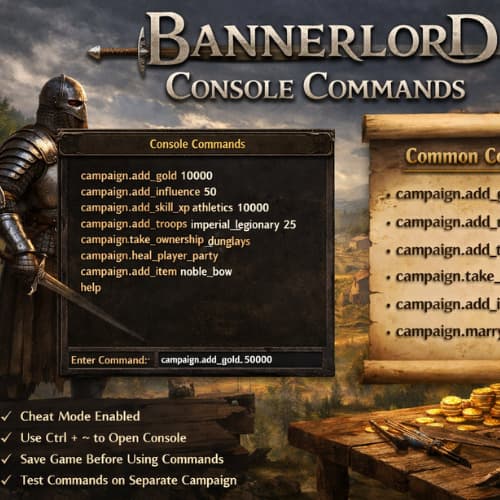
Bannerlord Console Commands give direct control over systems inside Mount & Blade II: Bannerlord, allowing rapid testing, save recovery, sandbox tuning, and custom scenarios. This guide focuses on practical command usage, clean syntax, and safe execution paths without filler.
Enabling the Developer Console
The console stays hidden by default. Activation requires a quick configuration edit.
Steps
- Close the game
- Open
Documents\Mount and Blade II Bannerlord\Configs - Edit
engine_config.txt - Change
cheat_mode = 0tocheat_mode = 1 - Save the file
- Launch the game
- Press
Alt + ~to open the console
Notes
- Single-player saves allow console access
- Multiplayer blocks console input
- Typos stop commands from firing
Command Syntax Rules
Console input follows a consistent structure.
Format
campaign.command_name parameter value
Best Practices
- Type commands in lowercase
- Add spaces exactly as shown
- Run one command per line
- Keep backups of saves
Core Campaign Control Commands
These commands adjust the world state, player resources, and progression pace.
| Command | Purpose | Example |
|---|---|---|
campaign.add_gold_to_hero |
Adds currency | campaign.add_gold_to_hero 50000 |
campaign.set_skill_main_hero |
Sets skill level | campaign.set_skill_main_hero onehanded 250 |
campaign.add_attribute_points_to_hero |
Adds attributes | campaign.add_attribute_points_to_hero vigor 3 |
campaign.add_focus_points_to_hero |
Adds focus points | campaign.add_focus_points_to_hero riding 5 |
campaign.set_all_skills_main_hero |
Maxes all skills | campaign.set_all_skills_main_hero 300 |
Character Development Commands
Skill testing, perk checks, and build comparisons stay fast through direct stat control.
Useful Inputs
campaign.set_level_main_hero 30campaign.add_xp_to_hero 100000campaign.reset_skills_main_hero
Use Cases
- Trial builds without grinding
- Perk tree verification
- Companion tuning
Party and Army Management
Large-scale testing needs instant troop control.
Troop Handling
campaign.add_troops imperial_legionary 50campaign.add_prisoners battanian_fian 20campaign.heal_party
Morale and Size
campaign.set_party_morale 100campaign.set_party_size_limit 500
World Map and Faction Commands
These commands reshape political balance and territorial control.
| Command | Action |
|---|---|
campaign.declare_war kingdom_aserai kingdom_vlandia |
Starts war |
campaign.make_peace kingdom_sturgia kingdom_khuzait |
Ends war |
campaign.give_settlement_to_player town_sargot |
Grants settlement |
campaign.destroy_kingdom kingdom_northernempire |
Removes faction |
Settlement and Economy Control
Testing trade routes, prosperity balance, and siege readiness becomes simple.
Settlement Commands
campaign.set_town_prosperity town_epicrotea 8000campaign.set_castle_food castle_varcheg 500campaign.add_influence_to_clan 200
Economy Testing Uses
- Market price reactions
- Workshop income checks
- Siege starvation timing
Time and Event Control
Campaign pacing changes instantly through time manipulation.
Commands
campaign.set_time_speed 5campaign.pause_timecampaign.unpause_time
Applications
- Fast-forward seasonal effects
- Trigger age progression
- Speed test AI decisions
Combat and Battle Commands
Battle scenarios benefit from direct manipulation.
Battle Setup
campaign.spawn_army empire 300campaign.kill_all_enemiescampaign.heal_main_hero
Testing Goals
- Formation balance
- Weapon damage checks
- AI engagement distance
Companion and Clan Commands
Clan growth and companion behavior adjustments help long campaigns.
Clan Tools
campaign.add_companioncampaign.set_clan_tier 6campaign.add_influence_to_clan 500
Leadership Testing
- Policy stacking results
- Influence drain rates
- Army cohesion levels
Item and Equipment Commands
Instant gear access speeds build testing.
| Command | Result |
|---|---|
campaign.add_item_to_hero noble_bow |
Adds item |
campaign.remove_item_from_hero noble_bow |
Removes item |
campaign.clear_inventory |
Empties inventory |
Debug and Fix Commands
Broken quests or stuck states recover quickly.
Recovery Tools
campaign.complete_active_questcampaign.fail_active_questcampaign.reset_player_position
Save Safety
- Manual save before execution
- Avoid stacking conflicting commands
Console Command Limitations
- Achievements disable during cheat mode
- Console input affects current save only
- Updates may rename commands
- Spelling accuracy matters
Practical Usage Tips
- Keep a text file with trusted commands
- Run commands in small batches
- Test changes in new saves
- Restart the game after major edits
Common Errors and Fixes
Command Not Found
- Check spelling
- Confirm cheat mode activation
No Effect
- Verify correct campaign context
- Reload save
Crash Risk
- Avoid mass entity spawning
- Space commands between actions
Bannerlord Console Commands provide precision control across skills, economy, factions, and combat systems. Structured usage supports testing, recovery, and creative play without long grind cycles.