
Modern cars, smartphones, navigation apps, dashcams, and cloud services generate more information than most drivers realize. After a collision, some of that information may help reconstruct what happened, preserve details that would otherwise be forgotten, or support conversations with insurers and professionals.
Technology does not automatically prove who caused a crash. A photograph can miss what happened seconds earlier, GPS data can be misunderstood, and a dashcam only records what falls within its field of view. The value comes from preserving reliable information and considering it alongside the physical scene, witness accounts, and official records.
For drivers in South Carolina and elsewhere, knowing what digital information may exist can make the stressful minutes after an accident a little more organized.
Start With Safety Before Reaching for a Phone
After a collision, the first priority is people, not evidence. Check for injuries, move away from immediate danger when possible, and contact emergency services when the circumstances require it.
Only document the scene when it is safe to do so. Standing in moving traffic to take a better photograph can turn one accident into another.
Smartphone Photos Can Preserve a Scene That Changes Quickly
Vehicles are moved, debris is cleared, weather changes, and damaged property may be repaired. A few clear photographs can preserve details that disappear within minutes or hours.
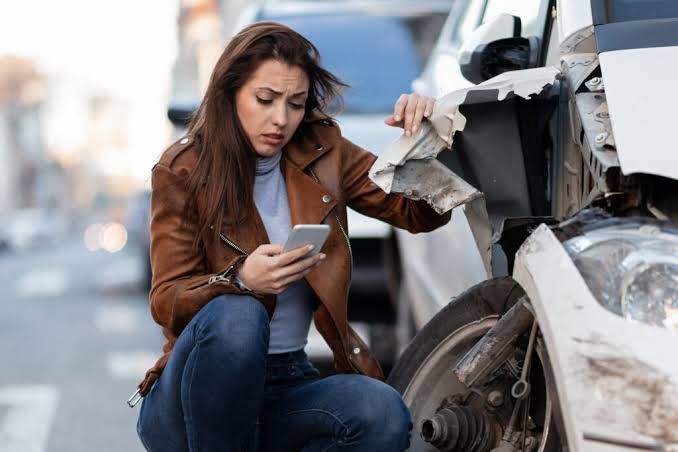
If it is safe, useful photographs may include the overall scene, vehicle positions, visible damage, license plates, road markings, traffic signs or signals, skid marks, debris, weather conditions, and visible injuries.
Take both wide photographs that show context and closer images that show specific damage. Avoid filters or edits on the original files.
Dashcams Can Capture the Seconds People Remember Differently
Human memory is imperfect, especially during a sudden stressful event. Dashcam footage can sometimes preserve vehicle movement, traffic lights, lane positions, or events immediately before a collision.
If a dashcam recorded the incident, preserve the original file promptly. Some cameras continuously overwrite older recordings when storage fills up.
Copying the original recording to a second secure location can reduce the risk of accidental loss.
Do Not Forget Nearby Cameras
A driver’s own camera is not the only possible source of video. Businesses, homes, parking facilities, traffic systems, and other vehicles may have cameras facing the area.
Not every camera records continuously, and retention periods vary. If potentially useful footage exists, timing can matter because older recordings may be overwritten automatically.
Location Data Can Add Context, but It Has Limits
Phones, navigation systems, connected vehicles, and mapping applications can create location-related records. Depending on the system, these records may help establish a route or approximate timing.
They should not be treated as infallible. GPS accuracy varies, timestamps need context, and different services store different levels of detail. Location information is most useful when evaluated alongside other evidence.
Connected Cars Create Their Own Records
Modern vehicles can contain event data, diagnostic information, infotainment history, paired-device information, and other electronic records. Exactly what exists depends on the vehicle and circumstances.
Drivers should avoid assuming that every car stores the same information or that every stored value answers the same question. Specialized data may require proper tools and knowledgeable interpretation.
Write Down the Human Details Too
Digital evidence should not replace basic note-taking. Once immediate safety concerns are handled, write down what you remember while it is fresh.
Useful details include the approximate time, direction of travel, weather, traffic conditions, what happened immediately before impact, what was said afterward, and the names or contact information of witnesses.
A short factual note written soon after the event may be more reliable than trying to reconstruct every detail weeks later.
Keep Insurance and Repair Records Together
An accident can generate photographs, police information, medical documents, towing receipts, repair estimates, rental records, insurer emails, and other paperwork.
Create one folder for the incident. A cloud folder can be convenient, but keep important originals and use an account protected by a strong password and multi-factor authentication.
Good organization reduces the chance that an important document disappears into months of unrelated email.
Be Careful About Public Posts
Social media makes it easy to share an accident immediately. That may not always be wise.
A short comment intended to reassure friends can later be read without context. Photographs, location tags, comments, and public discussions can spread beyond the audience originally intended.
Keeping the details of an unresolved accident private is often simpler than trying to explain a casual post later.
When an Accident Becomes More Than a Repair Problem
Some collisions are resolved through relatively straightforward vehicle repairs. Others involve injuries, disputed responsibility, significant expenses, or disagreements with insurers.
In those situations, general online information can explain common concepts but cannot determine what a particular person should do under South Carolina law.
For Orangeburg-area drivers dealing with a more serious situation, information from Solomon Law SC provides local context about car-accident claims and the kinds of issues that may arise after a collision.
Why Context Matters More Than One Piece of Data
A timestamp, photograph, video clip, or GPS point can be useful without telling the entire story.
For example, a photograph taken after vehicles have moved does not necessarily establish their positions at impact. A dashcam may show the road ahead but not a vehicle approaching from the side. A location record may indicate where a phone was without proving exactly who was using it.
Reliable reconstruction comes from comparing sources rather than forcing one digital record to answer every question.
Preserve Originals Whenever Possible
If a file may become important, keep the original version. Repeatedly editing, cropping, converting, or sending files through applications that compress media can remove detail or metadata.
Create working copies when you need to annotate or share something while keeping the original untouched.
This is a simple habit familiar to anyone who works with configuration files, logs, or software backups: preserve the source before modifying the copy.
Metadata Can Be Helpful but Should Not Be Overinterpreted
Digital photographs and files may contain metadata such as creation times, device information, or location data. Whether that information exists depends on device settings and how the file has been handled.
Metadata can also be altered or stripped during copying and sharing. It is therefore one source of context rather than automatic proof.
Cloud Backups Can Protect Important Files
A damaged or lost phone can take accident photographs with it. When appropriate privacy settings are in place, secure cloud backup can provide an additional copy.
Check that synchronization has actually completed before assuming a file is protected. For particularly important material, keeping another independent copy is sensible.
Avoid Trying to Reconstruct Missing Evidence Yourself
If a file appears deleted or a device is damaged, repeatedly installing recovery tools, resetting the device, or experimenting with storage can make recovery more difficult.
When information is genuinely important, preserving the device in its current state and seeking appropriate technical or professional assistance may be safer than trial-and-error recovery.
A Practical Digital Accident Checklist
After immediate health and safety needs are addressed, this short checklist can help:
• Photograph the overall scene and specific damage.
• Preserve dashcam footage before it is overwritten.
• Note nearby businesses or cameras that may have recorded the area.
• Save witness contact information.
• Write down your own factual recollection.
• Keep insurer and repair communications.
• Back up important photographs and videos.
• Preserve original files before editing copies.
• Avoid unnecessary public discussion of an unresolved claim.
• Keep all accident-related documents in one organized location.
Know When General Information Is No Longer Enough
Technology can help preserve facts, but it cannot tell an injured person how a specific law applies to a specific collision.
If injuries, liability disputes, substantial losses, or complicated insurance questions arise, local professional advice may become useful. Someone looking specifically for information about a car accident lawyer in Orangeburg, SC can review the relevant local resource before deciding whether to speak with counsel about the individual facts.
Final Thoughts
Cars and phones now create a digital layer around everyday travel. When a collision happens, that layer can preserve useful details—but only if the information is collected safely, kept in context, and stored reliably.
The most practical approach is simple: protect people first, document the scene without creating additional danger, preserve original digital files, keep records organized, and avoid assuming that one piece of technology tells the entire story.
Most drivers will hopefully never need a detailed accident file. If questions do arise later, however, a well-organized collection of photographs, records, notes, and original digital material is far more useful than trying to reconstruct a stressful event from memory.